How to cheat in Chess.com compared with playing fair and why engine overlays are a losing bet
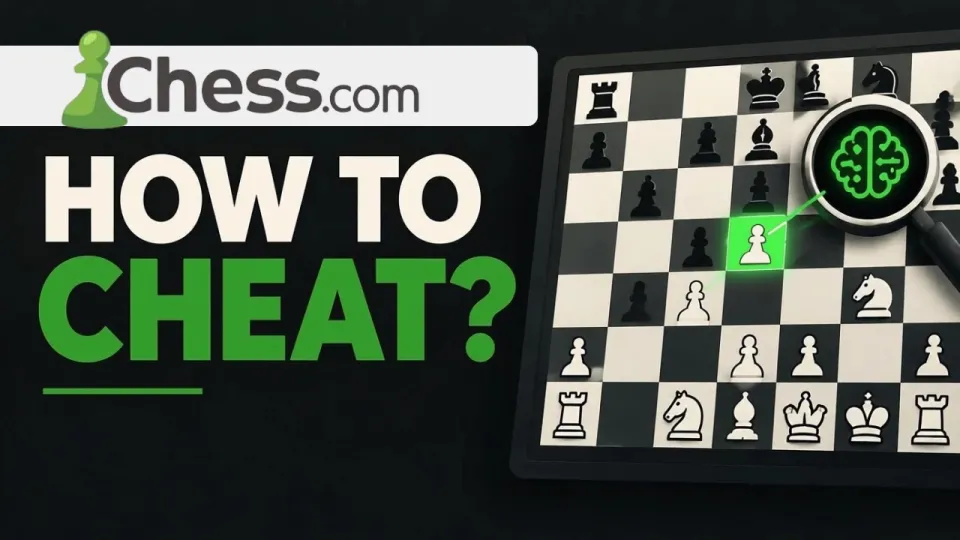
Video: How to cheat in Chess.com (Chess.com cheats)
· based on the channel Matyc
The short answer: cheating on Chess.com means running an outside chess engine such as Stockfish alongside the board — usually through a browser extension or userscript that reads the position and overlays the best move — and the tool demonstrated in the Matyc video is distributed through the xmods.cc download page for the Chess.com cheat item. It does produce strong moves, but it also produces exactly the statistical fingerprint Chess.com's Fair Play team is built to catch, so the practical result is a temporary rating spike followed by an account closure.
What a Chess.com cheat extension actually does
A Chess.com cheat extension is a small piece of browser code that sits on top of the live game page and feeds the current position to an engine. The typical package works in three parts: a content script that reads the board state from the page, a bundled or remote Stockfish build that calculates the reply, and an overlay layer that draws an arrow or highlights a square on top of the board. Some versions show an evaluation bar, a suggested move list, or a win-probability figure instead of a single arrow.
Because everything happens in the browser, nothing is installed on Chess.com's servers — the site only sees the moves you actually play. That is why these tools are usually shipped as Tampermonkey userscripts or unpacked Chrome extensions rather than standalone programs. The version shown in the Matyc walkthrough follows the same pattern: install the script, open a game, and the suggestions appear over the board.
Step-by-step: how the extension route is set up
Setting up a chess cheat extension follows a predictable sequence, and knowing it helps you understand why the method is fragile rather than how to hide it.
- Install a userscript manager such as Tampermonkey, or enable developer mode in Chrome and load an unpacked extension folder.
- Download the script or extension package from the source linked in the video, the xmods.cc item page.
- Add the script to the manager and confirm it is enabled for the chess.com domain.
- Open a live game or the analysis board and check whether the overlay arrows appear.
- Adjust settings — engine depth, arrow style, whether suggestions show for both sides.
Each of those steps is a failure point. Browser updates break unpacked extensions, userscript managers get flagged, and the overlay frequently fails to render on the new board layouts Chess.com rolls out. That is the practical reason behind the most common viewer question about these tools: people install them and then cannot work out how to make them appear inside an actual rated game.
Why engine assistance gets detected
Chess.com's anti-cheat does not rely on catching the software in the act; it relies on the moves. The Fair Play team compares each player's games against engine output and against the player's own history, and a handful of patterns stand out immediately.
- Accuracy that does not match rating. A 900-rated player who suddenly plays 25 games at 95% accuracy against strong opposition is the clearest signal there is.
- Matching the engine's first choice too often. Human players agree with Stockfish's top move most of the time in simple positions but diverge in complex ones; a cheat agrees almost always.
- Time patterns. Instant replies in sharp middlegame positions, or a consistent pause before every move regardless of difficulty, both look unnatural.
- Streaks and resets. Rating jumps followed by new accounts are tracked across devices and IP addresses.
Bans arrive in waves rather than instantly, which is what makes the method feel safe for a few weeks. Accounts are closed retroactively, results are annulled, and rating is removed — including rating earned in games where the engine was not running.
What happens when an account is closed
A Fair Play closure on Chess.com is not a warning. The account is closed, the username stops appearing in searches, and any paid Diamond or Platinum membership tied to it is not refunded. Arena and tournament entries are voided, club memberships are dropped, and the player's game history is marked. Circumventing the closure with a new account is itself a violation, and linked accounts get closed too.
The collateral damage matters more than the rating. Chess.com is where most club players keep their entire game archive, their puzzle rating and their study material; losing the account means losing years of records. For anyone considering the extension route, that is the real trade: a few hundred rating points against a permanent record.
Common questions from people who tried it
Most of the confusion around these tools is practical rather than ethical. Users report that the script installs cleanly but shows nothing during a game, which is usually a domain-permission issue in the userscript manager or a board layout the script does not parse. Others cannot find the download at all because the hosting page changes or the file is pulled.
A second recurring theme is trust. An extension that reads your chess.com session has access to your cookies and your account; running unknown code with that level of access is a genuine security risk independent of any chess rule. If a tool asks for broad permissions across all sites, that is a reason to stop rather than continue.
Fair-play alternatives that raise your rating honestly
The same engine that powers the cheat is available for legitimate use, and it teaches far more. Chess.com's own analysis board, the self-analysis report and the game review feature all run engine evaluation on your finished games — the difference is that the feedback arrives after the game instead of during it. Opening trainers, puzzle rush and the daily puzzle build pattern recognition that survives without an overlay.
For players who want the engine beside them, lichess study boards and standalone Stockfish with a GUI let you analyse your own games freely. The rating gain is slower, but it is yours, and it does not disappear in a ban wave.
Conclusion
Cheating on Chess.com with a browser extension is technically simple — install a userscript, let Stockfish overlay the best move, play stronger than you are — but the method is designed to be caught, and the cost is the whole account rather than a single game. The channel Matyc demonstrates the setup and links the download, and the video is a clear look at how these overlays work; treat it as an explanation of the mechanism, not a safe shortcut. If you still want to inspect the tool being shown, the xmods.cc Chess.com cheat page is where the video sends viewers, but the honest route — post-game analysis with the same engine — is the one that keeps your rating and your account.
Key takeaways
- Chess.com cheat tools are typically browser extensions or userscripts that overlay Stockfish move suggestions on the live board.
- The video by channel Matyc points viewers to a download page at xmods.cc for the tool it demonstrates.
- Chess.com's Fair Play team bans accounts in waves, and closures apply to the account, not just the game.
- Engine assistance above roughly 80–90% accuracy across many games is one of the strongest statistical signals of cheating.
- Closed accounts lose rating, trophies, tournament entries and any paid membership without refund.
Questions & answers
How do I actually use a Chess.com cheat during a live game?
You install a userscript manager or load an unpacked extension, add the script and enable it for the chess.com domain. The overlay should then draw suggested moves on the board. If nothing appears, the usual cause is a missing domain permission or a board layout the script cannot read.
Does Chess.com detect engine cheats?
Yes. Fair Play analysis compares your moves against engine output and against your own history, looking at accuracy relative to rating, how often you match the engine's top move and your timing patterns. Bans are issued in waves after review, so detection often comes weeks after the games.
What happens to my account and membership if I get caught?
The account is closed, results are annulled and rating is removed, including rating from games without engine use. Paid memberships are not refunded, and opening a new account to get around the closure is itself a violation that can lead to further closures.
Is there a safe way to use Stockfish to improve?
Yes — use it after the game, not during it. Chess.com's game review and self-analysis run engine evaluation on finished games, and standalone Stockfish with a GUI does the same for free. That builds real pattern recognition instead of a rating that disappears in the next ban wave.
Source: How to cheat in Chess.com (Chess.com cheats) · Markdown version